Contact Us
Favorites
Royal Present Embroidery

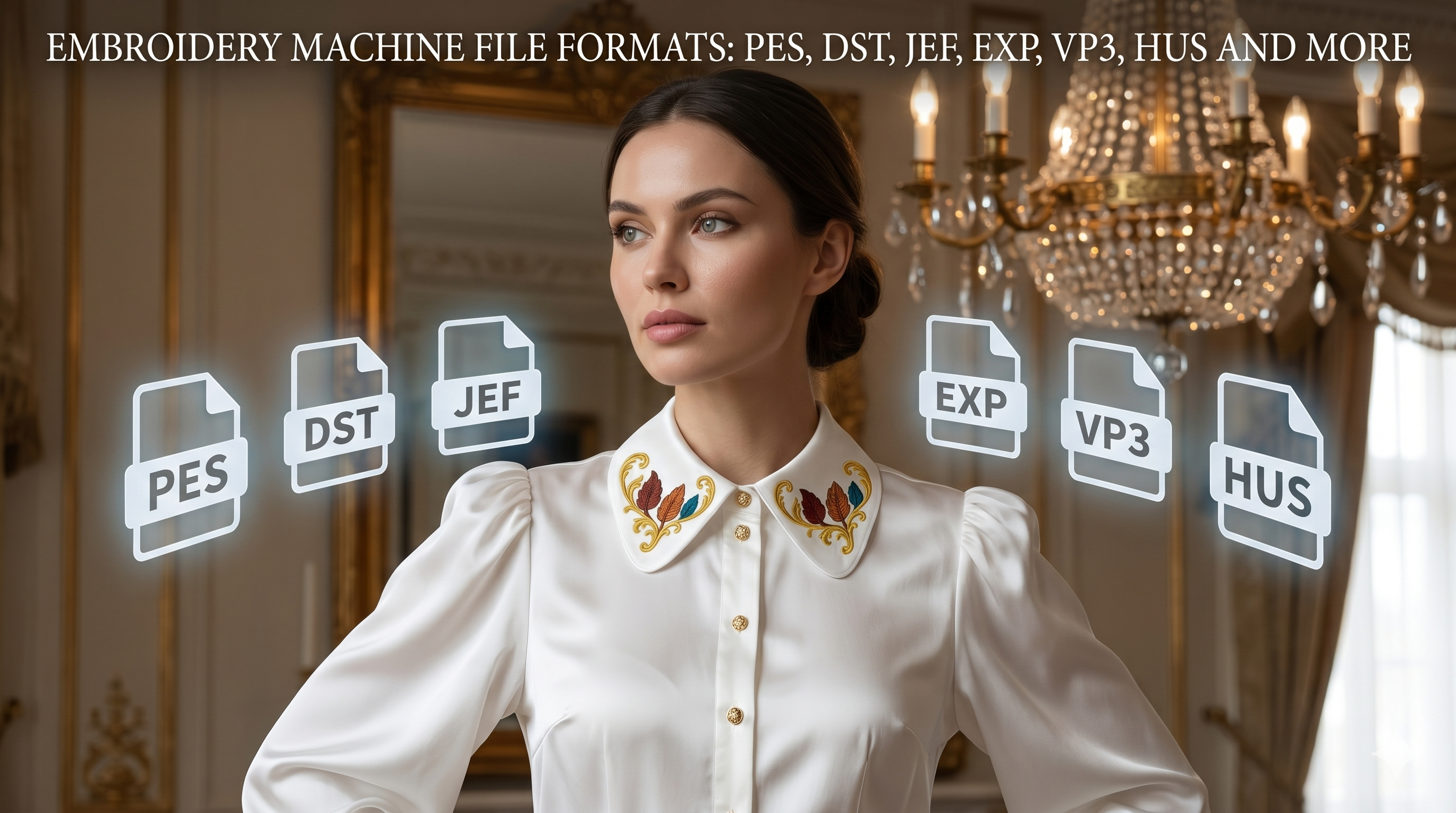
Embroidery Machine File Formats: PES, DST, JEF, EXP, VP3, HUS and More
embroidery-machines-file-formats


Embroidery machine file formats are special digital files that tell an embroidery machine how to stitch a design. They are not the same as JPG, PNG, PDF, SVG or regular image files. A real embroidery file contains stitch data, needle movements, color changes, trims, jumps and technical instructions that your embroidery machine or embroidery software can read.

This expert guide explains the most common embroidery machine file formats, how they are used, how embroidery files can be converted, which software can help, and when conversion is not enough. It also explains why ZIP archives must be unpacked, why color charts are not machine files, and why a design may not open even when the file format looks correct.

If you purchased a design from Royal Present Embroidery, your download usually comes as a ZIP archive. Inside the ZIP file, you may find several embroidery machine formats, color charts and sometimes instructions. First, unzip the archive, then choose the correct format for your embroidery machine.

What is an embroidery machine file format?

An embroidery machine file format is a stitch file created for embroidery machines. It contains the technical instructions needed to stitch a design: where the needle moves, where each stitch begins and ends, where the machine changes thread color, where it trims, and how the design is built.

A normal image file only shows what something looks like. An embroidery file tells the machine how to create that image with thread. This is why a JPG, PNG, SVG or PDF cannot simply be loaded into an embroidery machine and stitched.

Embroidery file conversion is not the same as digitizing

This is the most important rule:

Converting PES to JEF, DST to EXP or VP3 to PES is file format conversion. Turning a JPG, PNG, PDF, SVG or drawing into PES, DST, JEF or EXP is embroidery digitizing.

Conversion means that an existing embroidery file is saved into another machine-readable format. Digitizing means that artwork is rebuilt as stitches. These are completely different processes.

  • PES to JEF — format conversion.
  • DST to PES — format conversion, but color information may be limited.
  • VP3 to EXP — format conversion.
  • JPG to PES — not simple conversion; this is digitizing.
  • PNG to DST — not simple conversion; this is digitizing.
  • PDF to embroidery file — not simple conversion; the artwork must be digitized.
  • SVG to embroidery file — possible only after the vector artwork is prepared and converted into stitch objects.

If you only have a picture, logo or drawing, embroidery software cannot magically make it stitch perfectly with one click. A digitizer must decide stitch types, density, underlay, direction, pull compensation, trims and color order.

Working files vs stitch files

Embroidery formats can be divided into two large groups: working files and stitch files.

Working or object files

Working files may store editable information: objects, outlines, stitch types, density settings, underlay, lettering and other software-specific data. These files are usually connected to a particular embroidery program.

Examples include EMB, ART, BE, PXF and other native software formats. They are useful for editing, but they are not always the format your embroidery machine reads directly.

Stitch files

Stitch files are usually the final machine-readable files. They contain the stitch path that the embroidery machine follows. Examples include PES, DST, JEF, EXP, VP3, HUS, VIP, SEW, PEC, XXX, DAT and others.

Most customers need stitch files, not native working files.

Common embroidery machine file formats

Format Commonly used for What to know
PES Brother, Baby Lock One of the most common home embroidery machine formats.
DST Tajima and many commercial embroidery machines A professional stitch format often used for commercial embroidery, but it usually contains limited color information.
JEF Janome, Elna A common format for Janome and Elna embroidery machines.
EXP Melco, Bernina and some commercial machines Used by several professional and home embroidery systems. Bernina users may need the correct EXP package depending on the machine.
VP3 Pfaff, Husqvarna Viking A modern embroidery format used by many Pfaff and Husqvarna Viking machines.
HUS Older Husqvarna Viking machines An older but still widely used format for Husqvarna Viking embroidery machines.
VIP Pfaff, Husqvarna Viking Used by some older Pfaff and Husqvarna Viking embroidery models.
XXX Singer, Compucon and some other embroidery systems A stitch file format used by some Singer and compatible embroidery software.
SEW Older Janome, Elna and Kenmore machines An older embroidery format still needed for some legacy machines.
ART Bernina embroidery software and machines A Bernina-related format. Compatibility depends on the software version and machine model.

Important: the exact format depends not only on the machine brand, but also on the machine model, hoop size, software version and machine limitations. Always check your embroidery machine manual before transferring a design.

Which format does your embroidery machine need?

Here is a practical starting point:

  • Brother: usually PES.
  • Baby Lock: usually PES.
  • Janome: usually JEF.
  • Elna: often JEF or SEW, depending on the model.
  • Bernina: often EXP or ART, depending on the model and software.
  • Pfaff: often VP3, VIP or HUS.
  • Husqvarna Viking: often VP3, VIP or HUS.
  • Tajima: usually DST.
  • Melco: often EXP.
  • Singer: often XXX, depending on the model.

If you are not sure which format your machine needs, open a file that already works on your machine and check its file extension. You can also check your machine manual or the supported design formats listed by the manufacturer.

Format is only one part of compatibility. Hoop size and stitch limits matter too. If the file is larger than your machine can stitch, the machine may not open it even if the format is correct. You can check more details in our Embroidery Machine Size and Stitch Limits guide.
zip-files-are-not-embroidery-machine-files

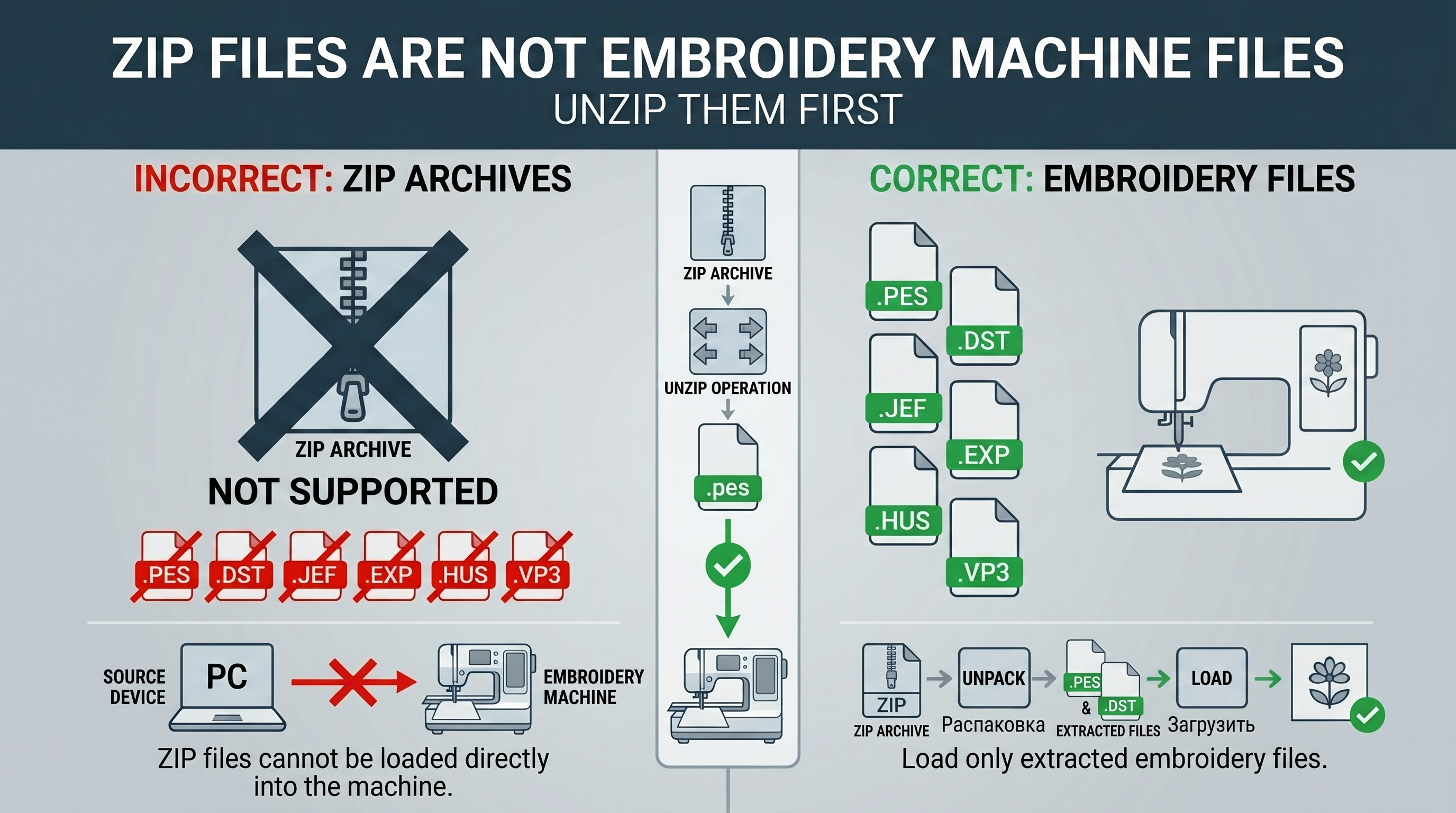
ZIP files are not embroidery machine files

A ZIP file is only a compressed archive. It may contain embroidery files, color charts and instructions, but your embroidery machine usually cannot read the ZIP archive directly.

First unzip the archive. After unzipping, select the correct machine format and transfer only that file to your USB stick or embroidery machine.

You can use our Online ZIP Extractor for Embroidery Files. You may also find this step-by-step guide helpful: How to Unzip Embroidery Folders.

JPG, PNG, SVG and PDF are not embroidery machine files

Many customers confuse preview images and embroidery files. They are not the same.

  • JPG / JPEG: usually a preview image or color chart.
  • PNG: an image file, not a stitch file.
  • PDF: a document file, often used for instructions or printable charts.
  • SVG: a vector graphic file, not a finished embroidery file.

A machine embroidery design must be digitized into stitches before it can be saved as PES, DST, JEF, EXP, VP3, HUS or another embroidery format.
What_color_chart

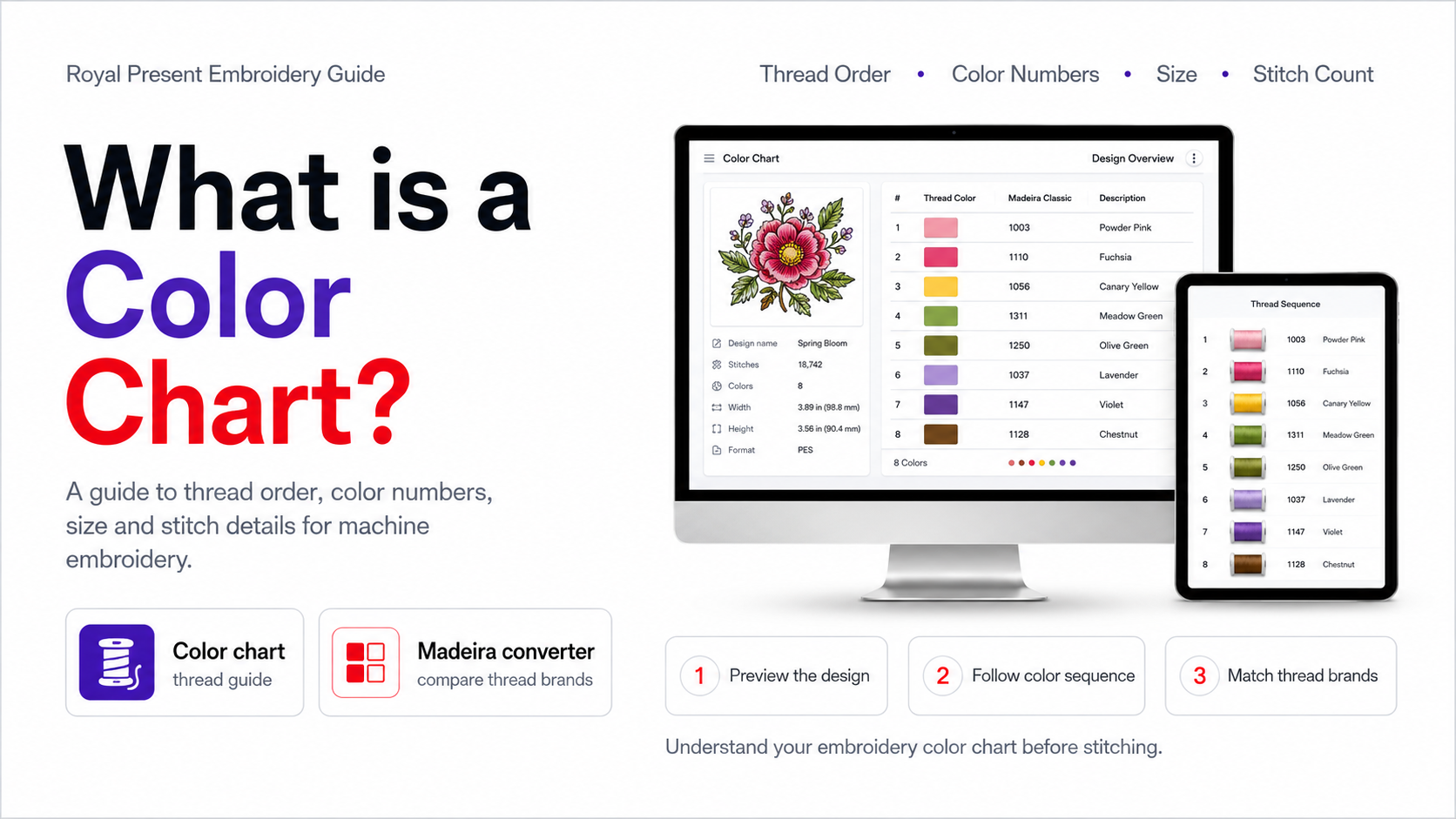
What is a color chart?

A color chart is a guide for the embroiderer, not the file your machine stitches. It usually shows the design preview, thread order, thread numbers, number of colors, size and sometimes stitch count. It helps you follow the correct color sequence during embroidery.

At Royal Present Embroidery, many color charts use Madeira thread numbers. If you use another thread brand, you can compare Madeira numbers with other brands using our Madeira Thread Free Exchange Converter.

If you are not sure how to read a chart, see our guide: How to Use a Color Chart for Your Machine Embroidery Design Project.

What happens when embroidery files are converted?

When an embroidery file is converted from one format to another, the software reads the stitch data and saves it into another embroidery format. For example, PES can be saved as JEF, JEF as EXP, or VP3 as DST if the software supports both input and output formats.

However, conversion is not magic. Some information may be limited or lost, especially when converting from or to older stitch-only formats.

What may change during conversion?

  • Thread color information may not transfer perfectly.
  • Thread color names may be replaced by generic colors.
  • Some machine commands may be interpreted differently.
  • Hoop information may not match your machine.
  • Design size and stitch count must still fit machine limits.
  • Very old formats may not preserve all modern data.

This is why a color chart is important. It helps the embroiderer follow the intended thread order even if the machine displays different colors after conversion.

Why DST conversion needs special attention

DST is one of the most widely used professional embroidery formats, especially for commercial and industrial machines. It is reliable as a stitch format, but it often carries limited color information compared with some home embroidery formats.

When a design is converted from DST to PES, JEF, VP3 or another home-machine format, the stitch path may be usable, but thread colors may not display as expected. Always check the color chart and thread sequence before stitching.
wilcom_truesizer_workspace_16x9

Best software for opening and converting embroidery files

There are many embroidery programs, but they do not all do the same job. Some are viewers, some convert files, some allow basic editing, and others are professional digitizing systems. We do not recommend downloading embroidery software from random websites. Use official developer sources or trusted embroidery software providers.

My Editor

My Editor is a free embroidery software option often used for opening, viewing, checking and saving embroidery files in different formats. It can be useful when you need to preview a design, inspect the stitch order, check colors, make simple edits or save a design into another supported embroidery format.

We have a separate guide here: Free Machine Embroidery Software – My Editor.

Best for: opening embroidery files, previewing designs, checking stitches, basic editing and simple format conversion.

Not ideal for: professional digitizing from artwork, complex redesigning or rebuilding a damaged design from scratch.

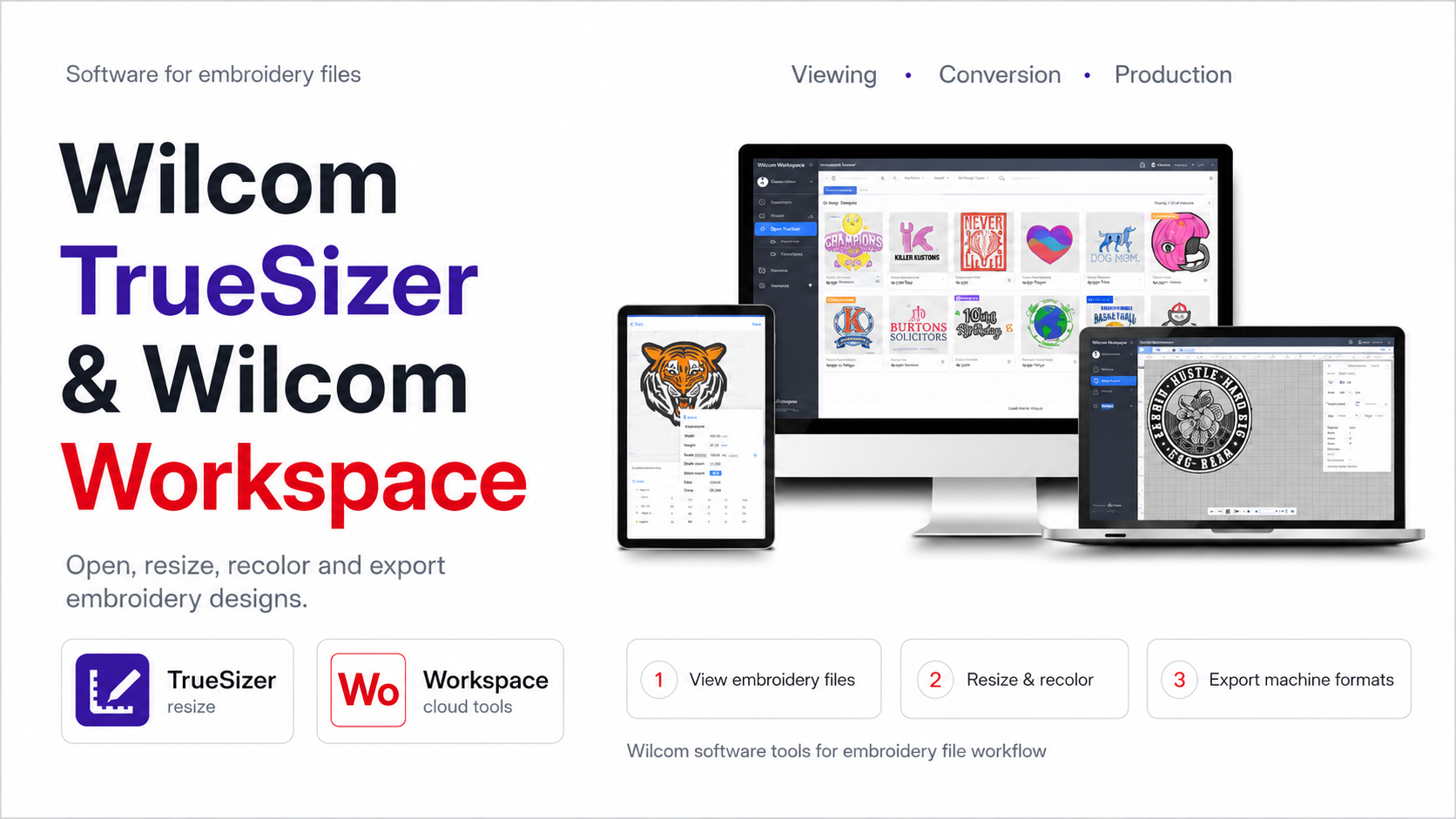
Wilcom TrueSizer and WilcomWorkspace

Many older embroidery tutorials mention Wilcom TrueSizer. It was popular for opening, viewing, resizing and converting embroidery files. However, the old TrueSizer Pro e4.2 desktop product has been discontinued, and support is no longer available.

Today, Wilcom offers newer workspace-based solutions for embroidery viewing, resizing and related tasks. If you see an old article recommending a free TrueSizer desktop download, check the current Wilcom options before installing outdated software.

Best for: users who need Wilcom-based viewing, resizing and conversion tools.

Be careful: old TrueSizer desktop installers may be outdated, unsupported or unsafe if downloaded from third-party websites.
Embrilliance Essentials

Embrilliance Essentials

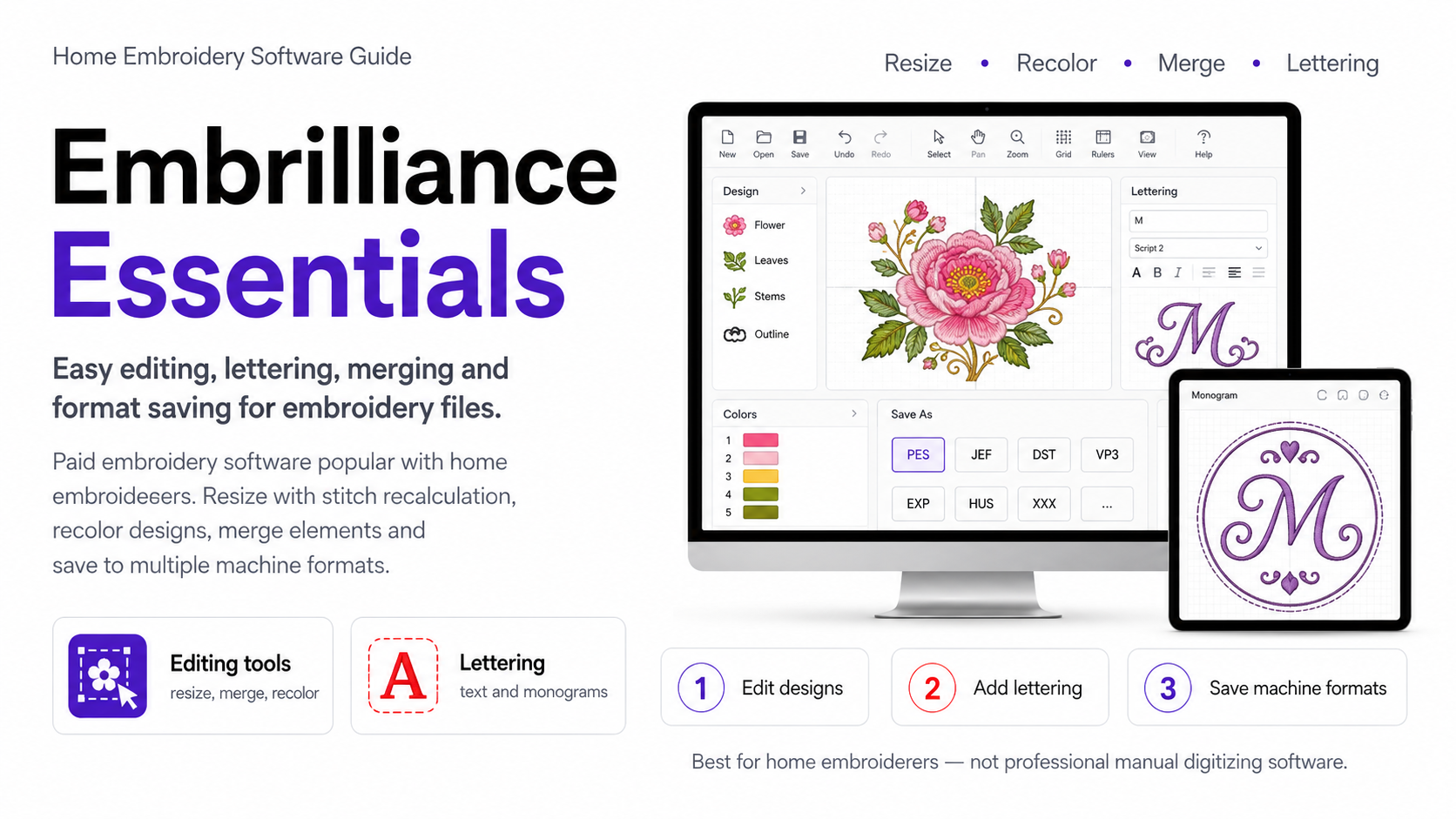
Embrilliance Essentials is a paid embroidery software option used by many home embroiderers. It can save designs into multiple embroidery formats, merge designs, resize with stitch recalculation, recolor designs and add lettering.

Best for: home embroiderers who want user-friendly editing, lettering, merging and format saving.

Not the same as: professional manual digitizing software.

Ink/Stitch

Ink/Stitch is an open-source embroidery extension for Inkscape. It can be useful for advanced users who understand vector paths, stitch settings and embroidery logic.

Best for: users who want more control over creating or editing stitch-based designs.

Be careful: creating an embroidery file from artwork is not a one-button conversion. The design still needs correct stitch settings, path logic, density and test stitching.

Professional digitizing software

Professional digitizing programs such as Wilcom Embroidery Studio, Hatch Embroidery, Tajima software and other advanced systems are used to create embroidery designs from artwork, not just convert files. They allow a digitizer to build the design with correct stitch types, underlay, density, pull compensation, trims and sequencing.

Best for: creating new embroidery designs, complex editing, commercial digitizing and professional production.

Which conversions are usually possible?

In many cases, stitch-file conversion is possible between common embroidery formats if the software supports both the input and output format.

Conversion type Usually possible? Important note
PES to JEF Yes, with suitable software Check hoop size and color sequence.
JEF to PES Yes, with suitable software Machine limitations still apply.
DST to PES Yes, often possible Colors may not transfer correctly; use the color chart.
VP3 to PES Often possible Depends on software support.
EXP to DST Often possible Mostly stitch data; check the result before stitching.
ART to other formats Depends on ART version and software ART compatibility can be version-sensitive.
PNG / JPG / PDF to PES No, not as simple conversion This requires digitizing.
SVG to embroidery file Only with digitizing setup Vector paths must be converted into proper stitch objects.

When conversion is not enough

Sometimes the problem is not the file extension. A customer may say “please convert this file,” but the real issue is size, density, hoop limits, stitch count or the fact that the original is only an image.

Conversion is not enough if:

  • The design is too large for the hoop.
  • The stitch count is higher than the machine allows.
  • The design is too dense for the fabric.
  • The customer wants to make a detailed design much smaller.
  • The file is damaged or incomplete.
  • The customer has only a JPG, PNG, SVG or PDF image.
  • The design needs to be split for multiple hoopings.
  • The design needs technical editing, not only another extension.

If the issue is size or stitch limits, read Embroidery Machine Size and Stitch Limits.

If you need a different size, see our Resize of Design service.

Why embroidery machines may not read a file

If your machine does not see a design, the format may not be the only reason. Common causes include:

  • The ZIP archive was not unzipped.
  • The wrong embroidery format was copied to the machine.
  • The file is in the wrong folder on the USB stick.
  • The design is larger than the selected hoop.
  • The machine has a stitch count limit.
  • The file name contains symbols the machine cannot read.
  • The USB stick is not compatible with the machine.
  • The machine needs the file saved through its own software.
  • The design was converted incorrectly.

For more help, read: Why won’t my embroidery machine read a design?

How to safely convert embroidery files

  1. Unzip the downloaded archive first.
  2. Open the original embroidery file in embroidery software.
  3. Check the design size, stitch count and color sequence.
  4. Save or export the design into the format your machine reads.
  5. Open the converted file again to check that it saved correctly.
  6. Compare the thread order with the color chart.
  7. Test stitch the converted file before using expensive fabric or a final product.

Never rely only on the file extension. A file may have the right extension but still be too large, too dense, damaged or incompatible with your exact machine model.

How to choose the right format from your Royal Present download

  1. Download the ZIP archive after purchase.
  2. Unzip the archive on your computer or use our online unzip tool.
  3. Open the folder and find the file extension your machine uses.
  4. Check the design size before transferring it to your machine.
  5. Copy only the needed embroidery file to your USB stick or machine memory.
  6. Use the color chart to follow the thread sequence.
  7. Test stitch before embroidering the final item.

Useful Royal Present guides

Frequently Asked Questions

Can I convert PES to JEF?

Yes, PES to JEF conversion is usually possible with embroidery software that supports both formats. Always check the converted file before stitching.

Can I convert DST to PES?

Yes, DST to PES conversion is often possible. However, DST may not keep detailed thread color information, so always use the color chart to follow the correct thread order.

Can I convert JPG or PNG to PES?

Not directly. JPG and PNG are image files. To create PES, DST, JEF or another embroidery format from an image, the artwork must be digitized into stitches.

Is PDF an embroidery machine file?

No. PDF is a document file. It may contain instructions or a printable color chart, but your embroidery machine cannot stitch a PDF as a design file.

Is ZIP an embroidery format?

No. ZIP is a compressed archive. You must unzip it first, then choose the embroidery file inside.

Which format does Brother use?

Most Brother embroidery machines use PES. Some related systems may also use PEC depending on the machine and software.

Which format does Janome use?

Most Janome embroidery machines use JEF. Some older models may use SEW.

Which format does Bernina use?

Bernina machines may use EXP or ART depending on the machine model and software. Always check your machine manual.

Which format does Pfaff or Husqvarna Viking use?

Many Pfaff and Husqvarna Viking machines use VP3. Some older machines may use VIP or HUS.

Why does my machine not read the design if the format is correct?

The design may be too large for the hoop, exceed stitch limits, be in the wrong USB folder, have an unsupported file name, or still be inside a ZIP archive.

Can I resize a design by converting it?

No. Format conversion and resizing are different. Resizing changes stitch density, stitch length, satin width and design structure. A resized embroidery design should be checked carefully before stitching.

What is the safest way to convert embroidery files?

Use embroidery software, check the design size and stitch count, compare the colors with the color chart, and test stitch the converted file before using it on the final item.
How to start an embroidery business at home

Learn more

Home embroidery business: what to charge?

Learn more

How to find your niche in embroidery business?

Learn more

How to find clients for emproidery?

Learn more

Skills and knowledge, needed for starting embroidery business at home

Learn more

Home-run embroidery business: extras that will add to your success

Learn more

Embroidery machines file formats

Learn more

Embroidery machine size and stitch limits

Learn more

Free machine embroidery software - My Editor

Learn more

Why won't my embroidery machine read a design, when i transfer it into it?

Learn more

How to Prevent Puckering in machine embroidery

Learn more

Gift cards

Do you know someone who likes to embroider as much as you? A gift card from Royal Present Embroidery makes a perfect gift.

Order gift card


Specially for You

Product Reviews

Product Reviews

Learn more
Free Designs

Free Designs

Learn more
Blog

Blog

Learn more
Embroidery Library

Embroidery Library

Learn more
Monogram Placement

Monogram Placement

Learn more
Terms and Conditions

Terms and Conditions

Learn more


Free Machine Embroidery Designs download

Please feel free to download our free machine embroidery designs. We hope that you enjoy the designs.


Custom Embroidery Digitizing

Frequently Asked Questions (Help)

Q: What is digitizing?

Before any design can be embroidered on caps, clothing or accessories, it needs to be converted into a format that is accepted and readable by the embroidery machine used. The digitized file tells the embroidery machine where, how and which color to use while stitching. We provide that service.

Q: How much does it cost to estimate designs?

Price quotes and stitch estimates are free.

Q: How do I submit orders of my designs?

You will be required to upload your artwork (e-mail: [email protected]) and indicate size, colors, fabric application, machine format and your required turn-around time.

In order to digitize an artwork, you need to supply us with a good quality image. We prefer designs to be sent as vector files in formats CDR, CMX, EMF, WMF, AI, EPS. Bitmap files are also accepted (JPG, PNG, GIF or TIF).

Payment Methods

PayPal accepted. We will send you the invoice to pay after the order is confirmed by you.

PRICING

Stitches Turn-Around Price

Up to 30,000* 1 day $9/1,000

Up to 30,000* 2 days $8/1,000

Up to 30,000* 3 days $7/1,000

30,000 to 49,999 3-5 days $150

50,000 to 69,999 3-5 days $200

70,000 and more 3-5 days $250

*Min. stitch charge of 2,000 stitches

Machine embroidery became popular and available to anybody. It has a lot of advantages in comparison with prints or applications on clothes. It never looses its colour, can be washed and make things completely different. All additional efforts for its placement are worth of extra time and money. Firstly, the price is rather low. Secondly, modern machines have everything to quickly and qualitatively execute a desired embroidery. Third, our designs are performed with great sharpness and you only need to make a choice.

We can convert any drawing into a machine embroidery design, which then can tell your machine all instructions. You may order any desirable picture to be turned into the file which will create a unique embroidery on any fabric. Although we offer a great choice of embroidery designs, you could always order your own or resize of the one you liked. We send you digital data on your email, and after you open the files and instructions, the work will be done by your machine. If you are as creative as we are, you can make wonders or great business inspired by all our designs. We are pleased to offer you all our works, help with their implementation, answer your questions and get any reviews.

Request Price


Download Our App

On this page you will find all the needed information on the regulations of your use of our site (https://royal-present.com). In order to eliminate any possible ambiguities, please note the following references:

Visitor – a person, entering the site (https://royal-present.com) without any intention of putting an actual Order.

User – an individual who has read, understood and accepted present terms and conditions and is about to put an Order with the Online store Royal-Present.com.

Buyer – a User who has placed an Order in the Online store Royal-Present.com.

Royal Present Embroidery – <p>Royal Present Embroidery SIA EU Latvia. Riga, Priedaines iela 13 - 5, Postal Code LV-1029, Registration Number 50203240321

Seller – Royal Present Embroidery SIA, whose merchandise – Goods, being listed at the Online store Royal-Present.com

Online store – Internet site, property of Royal Present Embroidery SIA, which is located at https://royal-present.com. As stated above, the Online store offers Goods, sold by the Seller, with all terms regarding payment, delivery of Goods to the Buyer being specifically described and explained in special sections of the site.

Internet site – https://royal-present.com.

Seller’s information – section of the Internet site, where all the information on terms and conditions of use, as well as payment and delivery of Goods to the Buyer, is listed. Seller’s information is available at the link, given at the page with the Goods description, under the “Yes, I want it” button.
Goods – a digital file/program for embroidery machines which are being sold on the Internet site.
Order – an application for receiving paid Goods, submitted by the Buyer in compliance with terms and conditions of Internet site use. Due to the digital nature of Goods, email address must be stated for the Order to be delivered to the Buyer.

General

1 – Seller offers Goods only through the Online Store on Internet site https://royal-present.com.

2 – When placing an Order, User agrees with the terms listed below (further referred to as Service conditions). Use of this site implies User’s agreement to all terms and conditions (further referred to as Agreement/Public offer), stated by the Seller. Otherwise, any cooperation from the Seller’s part is terminated. User, in this case, has to leave https://royal-present.com immediately.

3 – Present Service conditions, as well as information on Goods, provided by the Internet site, is a public offer in accordance with Code of EU

4 – Seller reserves the right to change any part of the Agreement, without prior notice to User/Buyer. New Agreement will come into force after expiration of a 10(ten)-day period of its posting on the Internet site, unless specifically provided otherwise by the present Agreement.

5 – Present Agreement is accepted by User/Buyer when they make registration on the Internet site. Herby, accepting the Agreement, Visitor/User/Buyer acknowledges that the contact information, entered upon registration (e-mail, phone number etc.) could be used by the Seller for:

– Fulfillment of the Seller’s obligations to Visitor/User/Buyer;

– Newsletter and upcoming sales, promotions and discount information, as well as any other mailing concerning cooperation between Seller and Visitor/User/Buyer.

6 – Seller and Buyer enter into a contract of sale only after the former provides to the latter documents on fully paid payment for the Goods.

Subject of the Agreement

1 – The Agreement addresses provision of Goods, listed in catalogues of the Online shop located at https://royal-present.com, to any Buyer for personal use.

2 – The subject of the Agreement is a non-transferable, non-inclusive right to use Goods, purchased from the Online store. It means that Buyer cannot re-sell under any conditions the digital material, purchased on https://royal-present.com. Any alternations to the purchased material with the help of external digital programs are deemed violation of the Seller’s copyright. Distribution of such “tempered Goods” under any other official name is also violation of the Seller’s copyright.

3 – Subject of the Agreement conditions are valid for all types of Goods/programs, sold on https://royal-present.com for as long as they are listed on catalogs of the Online shop.

Registration rules1 – Registration is obligatory for proper placement of the Order.

2 – To register on the Internet site use a pop-up window with “Registration” sign.

3 – Royal Present Embroidery is not accountable for validity of information Visitor/User/Buyer submit during registration.

4 – User agrees not to share the account details (log-in password etc) with anyone. In case of detection of any suspicious use of the User’s account from third parties, User should immediately notify management of the Internet site by sending an e-mail with all regarding details on [email protected]

5 – Communication between Visitor/User/Buyer and the Seller should be in framework of mutual respect and common courtesy rules. Any use of profanity, impudence, threatening, abusive language and other forms of disrespect is strictly prohibited for both sides.

Information regarding the Goods and placement of the Order

1 – Information, accompanying the Goods description, is of an attributive character and should not be taken as definitive one. To avoid any possible misunderstandings Visitor/User/Buyer should check with the Customer Service when ambiguities or any other questions occur. Same holds for photos and pictures, accompanying the Goods description. As they bear only illustrative character, the actual look of the Goods might differ from the depiction.

2 – Information on the Goods and other types of Services, given on the Internet site is updated every 30 minutes. It is responsibility of the Visitor/User/Buyer to keep up with the updates.

3 – Buyer should provide all the information, needed for the proper execution of the Seller’s obligations towards the Buyer, correctly. Seller is not accountable for any mistakes on the side of the Buyer, hindering the execution of Seller’s obligations.

4 – After the Order registration on the Internet site, the Buyer receives confirming notification on the e-mail, provided by the Buyer during the sing-up. Dates of the Goods delivery could be changed unilaterally, if the reasons for it are deemed to be objective by the Seller.

Goods delivery

1 – Delivery methods are described in Terms of Delivery section of the Internet site.

2 – Delays in the delivery could occur due to unforeseen circumstances. In such cases the Seller is not accountable for such delays.

3 – Delivery of the Goods is ALWAYS FREE of charge.

4 – Delivery obligations of the Seller are deemed to be fulfilled, when the purchased by the Buyer Goods are sent on the e-mail, given by the Buyer.

Payments

1 – The price for the Goods, which are being sold in the Online shop, is set in Dollar USA.

2 – The price is always provided with the Goods description.

3 – The Seller reserves the right to unilaterally change the price for any of the listed on the Online shop Goods. However, the price of the Goods, which have already been placed in the Order, are not tied to such change.

4 – Payment through Bank Cards: – Authorization of such operations is done by banks only. If banks suspect that the transaction might be fraudulent, they have the right to refuse to carry such operation on.

Return policy

Machine embroidery designs as well as software for embroidery machines are digital programs, which could be copied, reproduced and stored on other types of media. This makes protection of copyright privileges of program designers extremely difficult. For this reason there could be NO RETURNS OF PAYMENTS WHATSOEVER ON THE PURCHASED GOODS. To avoid any possible misunderstanding or other unwanted situation, Buyer is obliged to double-check all the details concerning description and characteristics of the Goods before making the Order. In case of any questions, Buyer should request additional information on the product. This could be done through any of the contacts, available on the Internet site.
LiabilitySeller is not accountable for the damage of the Goods, caused by its improper use. Common sense should be used when handling the Goods. In order for the design to look good on the finished project, particularities should be observed, including use of proper stabilizers and tension of the fabric check. Besides, one should always test the design on the materials, which they choose.

Privacy Policy

1 – Personal information of User/Buyer is stored and utilized in accordance with the regulation of the Law GDPR

2 – Registration procedure for https://royal-present.com implies that the User/Buyer provides their name and e-mail address.

3 – When providing their personal information User/Buyer acknowledges and agrees that the Seller can utilize the data for fulfillment of Seller’s obligations towards Visitor/User/Buyer of the Internet site. To such the following are included: Goods and Services promotion of various kinds; delivery service organization, customer satisfaction surveys and other types of communications aiming at improvement of the Internet site operation.

4 – Personal information of Visitor/User/Buyer can be collected through disclosure by the Visitor/User/Buyer themselves (e.g. during registration procedure) or though technology. Utilization of such information may include: collection, storage, systematization, update and display of information. Besides, Visitor/User/Buyer agrees to alternations of the provided information in various ways, its distribution, blocking or complete removal from the Internet site.

5 – The Seller can send informative or promotional messages on Visitor/User/Buyer’s email address, if the latter has willingly and explicitly agreed to such communications by means, which can uniquely identifying their will on the case.

6 – Visitor/User/Buyer can opt out of such communications by sending an email message with the request on [email protected] Service message, informing on delivery or other statuses regarding the Order are generated automatically and cannot be switched off.

7 – In case Visitor/User/Buyer opts out of providing personal information, their email addresses are removed from the database of the Seller.

8 – Seller is not accountable for the validity of information, provided by Visitor/User/Buyer in public sections of the Internet site.

9 – The Internet site is secured, as far as information transaction concerned, by a new SSL certificate.
Duration of Public offerPublic offer becomes effective with the acceptance of Visitor/User/Buyer and have effect until withdrawal of the acceptance.

Additional Information

1 – Occasionally the Online shop with some/all of its services may be unavailable for the public due to maintenance works. The Technical Service team of the Internet site reserves the right to carry out such maintenance works without previous warning.

2 – In case of any questions or claims from the side of User/Buyer towards the Seller, the former contacts the latter by phone, e-mail or any other suitable means. For convenience of both sides, they agree to firstly attempt to resolve any dispute by negotiation. On unfavorable occasion, the case will be forwarded to the competent judicial authority, in accordance with existing legislation of the EU.

4 – The Court decision on invalidity of some of the statements of the current Agreement is not binding for the rest parts of the Agreement.

~ Personal information of User/Buyer is stored and utilized in accordance with the regulation of the GDPR

~ Registration procedure for https://royal-present.com implies that the User/Buyer provides their name and e-mail address.

~ When providing their personal information User/Buyer acknowledges and agrees that the Seller* can utilize the data for fulfillment of Seller’s obligations towards Visitor/User/Buyer of the Internet site. To such the following are included: Goods and Services promotion of various kinds; delivery service organization, customer satisfaction surveys and other types of communications aiming at improvement of the Internet site operation.

~ Personal information of Visitor/User/Buyer can be collected through disclosure by the Visitor/User/Buyer themselves (e.g. during registration procedure) or though technology. Utilization of such information may include: collection, storage, systematization, update and display of information. Besides, Visitor/User/Buyer agrees to alternations of the provided information in various ways, its distribution, blocking or complete removal from the Internet site.

~ The Seller can send informative or promotional messages on Visitor/User/Buyer’s email address, if the latter has willingly and explicitly agreed to such communications by means, which can uniquely identifying their will on the case.

~ Visitor/User/Buyer can opt out of such communications by sending an email message with the request on [email protected]. Service message, informing on delivery or other statuses regarding the Order are generated automatically and cannot be switched off.

~ In case Visitor/User/Buyer opts out of providing personal information, their email addresses are removed from the database of the Seller.

~ Seller is not accountable for the validity of information, provided by Visitor/User/Buyer in public sections of the Internet site.

The Internet site is secured, as far as information transaction concerned, by a new SSL certificate

Machine embroidery designs as well as software for embroidery machines are digital programs, which could be copied, reproduced and stored on other types of media. This makes protection of copyright privileges of program designers extremely difficult, and some individuals with dubious moral code might try to copy and store the design elsewhere, deceitfully demanding return of payment for the supposedly damaged goods. For this reason there could be NO RETURNS OF PAYMENTS WHATSOEVER ON THE PURCHASED GOODS.

To avoid any possible misunderstanding or other unwanted situation, Buyer is obliged to double-check all the details concerning description and characteristics of the Goods before making the Order. In case of any questions, Buyer should request additional information on the product. This could be done through any of the contacts, available on the Internet site.

In case some of the designs lack in sizes or formats that the Buyer might want, the Buyer can try to convert the design with a digital converter program. Such programs usually come with the embroidery machine software set.

Sometimes, when converting a machine embroidery design from its original format to a different one, some inaccuracies might occur. Should you come across such a “defective” design, don’t hesitate to contact us. We will try to fix the problem, caused by the conversion, and will send a perfectly converted design in shortest time possible.

Royal Present Embroidery offers free support and back-up of every design, purchased from its on-line shop.

~ The products (Goods) that Royal Present Embroidery offers are digital programs for embroidery machines. Due to the digital nature of the product there are NO REFUNDS OR RETURNS OF PAYMENTS whatsoever. It is Buyer’s responsibility to check and choose properly compatible with their embroidery machine size and format of the product.

~ Delivery of the Goods is always free of charge.

~ Delivery obligations of the Seller are deemed to be fulfilled, when the purchased by the Buyer Goods are sent on the e-mail, given by the Buyer

~ After the purchase, the product is available for downloading immediately. The Buyer gets a link, where they can download a ZIP folder, containing files with the product. BEFORE making an Order, Buyer should make sure that the computer has all the settings for the “unzipping” the folder with files.

~ If you haven’t received the design you ordered, log into your personal account and download the file from there.

Royal Present Embroidery offers a higher level of personal data protection with a new SSL security certificate.

0 basket
Item add to your basket